

Optimizing C code for embedded systems
C code optimization is necessary for embedded systems because, in order to save on hardware costs, we plan for the bare minimum in terms of interface, memory and computing capacity. For a fixed computer, however, low execution times are preferred to avoid overloading the CPU. Optimization has two competing objectives
- reduce the amount of memory used by a program
- speed up execution of program functions
A program can be as fast as possible or as small as possible, but not both. Optimizing one criterion can have a major impact on the other.
The compiler often takes care of optimizing the code, but it is essential to optimize it manually. We generally concentrate on optimizing critical sections of the code and leave the rest to the compiler.
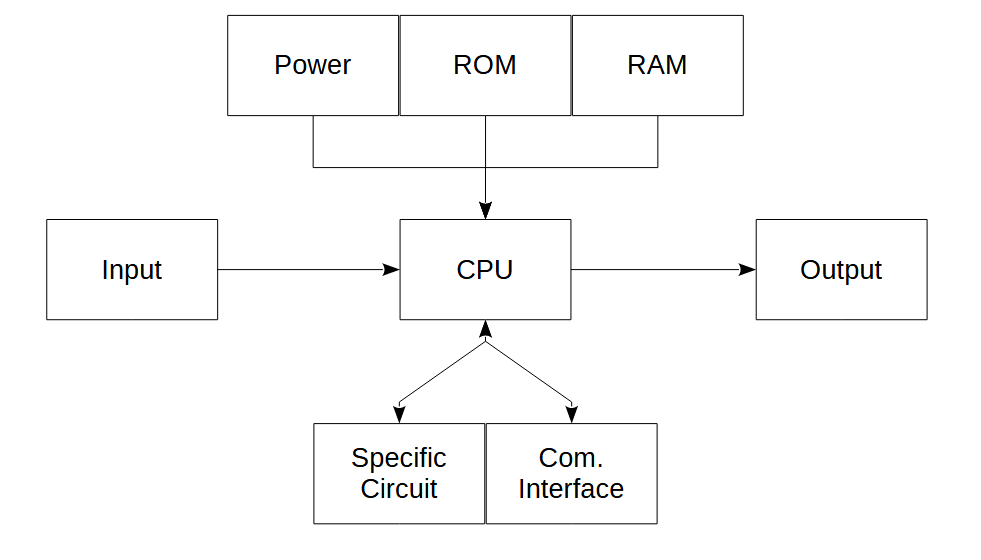
Even if there are good practices to keep in mind when developing code, code should only be otpimized when strictly necessary (memory limit, slow execution). Above all, code must be readable, maintainable and functional.
Improving code efficiency
Inline functions
The inline keyword allows you to specify to the compiler to replace a call to the function with the function code. When a function is present in a few sections of code but called a large number of times, transforming the function into an inline function can improve code execution performance.
Lookup tables
Lookups allow you to replace functions requiring complicated calculations with a simple association of variables. For example, you can replace a sin() function or swtich sections with multiple-choice tables.
Manual assembler code
A compiler transforms C code into optimized assembly code. When the function is critical, an experienced developer can create his own assembly code.
Reduce code size (ROM)
Variable size and type
Correctly choosing the structure, type and size of variable needed to store data considerably improves code performance.
Goto statement
The goto function avoids complicated tree algorithms. This makes the code harder to read and can be the source of more errors.
Avoid standard libraries
Standard libraries are generally heavy in size and computationally intensive, as they attempt to cover all cases. Developing your own functions to meet your own needs is a good way of optimizing your C\ code.
Reduce memory (RAM) usage
Const and static keywords
A static variable is a variable that can only be accessed in the context of a function, but whose state is maintained between function calls. This limits the use of global variables.
Test C\C++ code performance
Measure the execution time of a section of code using the time.h library
#include <iostream>
#include <time.h>

clock_t start, end;
double cpu_time_used;
int main()
{
    std::cout << "Hello World" << std::endl;
    start = clock();
    for(;i<0xffffff;i++);
    end = clock();
    cpu_time_used = ((double) (end - start)) / CLOCKS_PER_SEC;
    printf("Execution time: %f seconds\n", cpu_time_used);
    return 0;
}
Using gprof
The gprof tool supplied with the compiler can be used to display execution times for different sections of code or functions.
compile with the -pg flag so that the code generates a gmon.out file
g++ -g -Wall -no-pie -pg helloworld.cpp -o helloworld --include=include/utils.cpp  #compile for profiling
./helloworld  #execute and write gnom.out
gprof -b helloworld.exe gmon.out > perfo.txt  #translate gnom.out
Example of output from perfo.txt: you get a table containing the cumulative execution time over the total execution time, the number of calls and the average execution time.
Flat profile:

Each sample counts as 0.01 seconds.
  %   cumulative   self              self     total
 time   seconds   seconds    calls   s/call   s/call  name
 37.21      4.26     4.26        2     2.13     3.95  func1()
 31.79      7.90     3.64        1     3.64     3.64  new_func1()
 30.83     11.43     3.53                             func2()
  0.17     11.45     0.02                             main
  0.00     11.45     0.00        1     0.00     0.00  count_to(int, int)
Memory usage
The -stats compiler option gives general statistics on the code.
g++ -g -Wall -no-pie -pg helloworld.cpp -o helloworld --include=include/utils.cpp --stats
result
(No per-node statistics)
Type hash: size 32749, 23922 elements, 1.178881 collisions
DECL_DEBUG_EXPR  hash: size 1021, 0 elements, 0.000000 collisions
DECL_VALUE_EXPR  hash: size 1021, 18 elements, 0.031250 collisions
decl_specializations: size 8191, 6113 elements, 1.427515 collisions
type_specializations: size 8191, 3619 elements, 1.569889 collisions

******
time in header files (total): 0.862000 (38%)
time in main file (total): 1.416000 (62%)
ratio = 0.608757 : 1

******
time in ./include/utils.cpp: 0.002000 (0%)
time in <built-in>: 0.006000 (0%)
time in <command-line>: 0.000000 (0%)
time in <top level>: 0.009000 (0%)
The -fstack-usage and -Wstack-usage options can be used to check stack memory usage at compile time.
g++ -g -Wall -no-pie -pg helloworld.cpp -o helloworld --include=include/utils.cpp -fstack-usage
g++ -g -Wall -no-pie -pg helloworld.cpp -o helloworld --include=include/utils.cpp -Wstack-usage=32
The second checks the stack size expected for a given value (32).
In file included from <command-line>:
./include/utils.cpp: In function 'void count_to(int, int)':
./include/utils.cpp:6:6: warning: stack usage is 64 bytes [-Wstack-usage=]
    6 | void count_to(int n, int delay)
      |      ^~~~~~~~
helloworld.cpp: In function 'void new_func1()':
helloworld.cpp:7:6: warning: stack usage is 64 bytes [-Wstack-usage=]
    7 | void new_func1(void)
      |      ^~~~~~~~~
helloworld.cpp: In function 'void func1()':
helloworld.cpp:17:6: warning: stack usage is 64 bytes [-Wstack-usage=]
   17 | void func1(void)
      |      ^~~~~
helloworld.cpp: In function 'void func2()':
helloworld.cpp:28:13: warning: stack usage is 64 bytes [-Wstack-usage=]
   28 | static void func2(void)
      |             ^~~~~
helloworld.cpp: In function 'int main()':
helloworld.cpp:40:5: warning: stack usage is 96 bytes [-Wstack-usage=]
   40 | int main(void)
Memory footprint simulation on specific hardware
It is possible to simulate a particular hardware with a custom link script
myldscript.lds
| Memory | Start Address | Size |
| Internal Flash | 0x00000000 | 256 Kbytes |
| Internal SRAM | 0x20000000 | 32 Kbytes |
MEMORY
{
  rom      (rx)  : ORIGIN = 0x00000000, LENGTH = 0x00040000
  ram      (rwx) : ORIGIN = 0x20000000, LENGTH = 0x00008000
}

STACK_SIZE = 0x2000;

/* Section Definitions */
SECTIONS
{
    .text :
    {
        KEEP(*(.vectors .vectors.*))
        *(.text*)
        *(.rodata*)
    } > rom

    /* .bss section which is used for uninitialized data */
    .bss (NOLOAD) :
    {
        *(.bss*)
        *(COMMON)
    } > ram

    .data :
    {
        *(.data*);
    } > ram AT >rom

    /* stack section */
    .stack (NOLOAD):
    {
        . = ALIGN(8);
        . = . + STACK_SIZE;
        . = ALIGN(8);
    } > ram

    _end = . ;
}
gcc -g -c helloworld.cpp # compile object file
ld -o helloworld -T ldscript.lds helloworld.o --print-memory-usage #compile with specific link script
Memory region         Used Size  Region Size  %age Used
             rom:       12704 B       256 KB      4.85%
             ram:        4128 B        32 KB     12.60%




